BibiGPT Advanced Guide 2026: How to Download and AI-Summarize Videos from Unsupported Platforms (with Mind Map, Subtitle Translation, Visual Analysis)
BibiGPT Advanced Guide 2026: How to Download and AI-Summarize Videos from Unsupported Platforms (with Mind Map, Subtitle Translation, Visual Analysis)
TL;DR: When BibiGPT does not directly support a platform (WeChat Channels, some RedNote/TikTok videos, Substack videos, internal corporate sites), the standard recipe is “download tool → local file → upload to BibiGPT → pick AI output format”. Download with res-downloader (cross-platform desktop) or Social Media Assistant Chrome extension; upload to BibiGPT, get all four outputs in one shot: AI summary + mind map + subtitle translation + on-screen content analysis (no need to run separate tools).
Table of Contents
- Why a workaround — 2026 BibiGPT user pain points
- Two download tools: res-downloader vs Social Media Assistant
- 3 steps: download → upload → pick output
- BibiGPT advanced: 4 AI outputs from one upload
- 2026 new tools and model comparison
- Tips and disclaimer
- FAQ
Why a workaround — 2026 BibiGPT user pain points
BibiGPT supports 30+ mainstream video/audio platforms (Bilibili, YouTube, RedNote, TikTok, podcasts, etc.). But every system has edges:
- Platform limits: WeChat Channels has heavy anti-scraping; direct grabs are restricted
- Frequent API updates: RedNote / TikTok occasionally break direct download briefly during platform upgrades
- Niche or private content: enterprise Wistia videos, Substack videos, Loom private links, internal LMS recordings
For these cases, “download locally + upload to BibiGPT” is the most reliable fallback. Below is the 2026 toolkit.
Two download tools: res-downloader vs Social Media Assistant
1. res-downloader: cross-platform sniffer
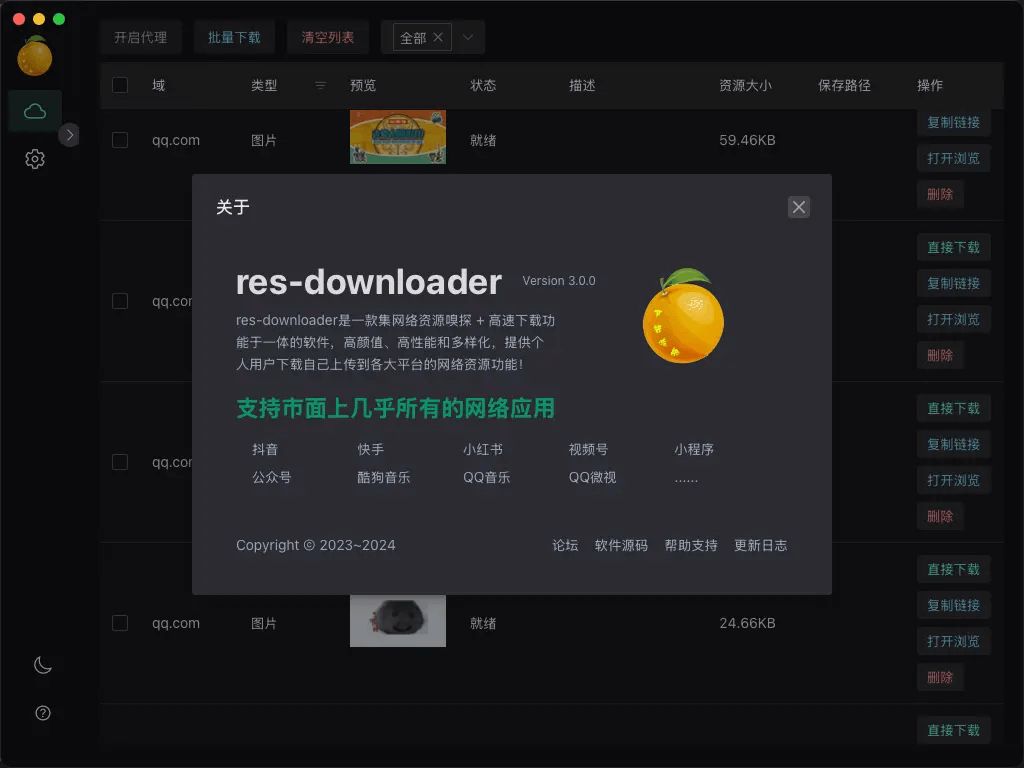
- Built on Go + Wails, supports Windows / macOS / Linux
- Strengths:
- Best-in-class WeChat Channels support (the hardest platform to grab in 2026)
- Proxy capture: works around restricted networks
- Clean UI, install-and-go
- Get it:
- putyy/res-downloader on GitHub
- Releases
- Lanzou (password 9vs5): wwjv.lanzoum.com/b04wgtfyb
- Win7 users: use
2.3.0
2. Social Media Assistant - Chrome extension
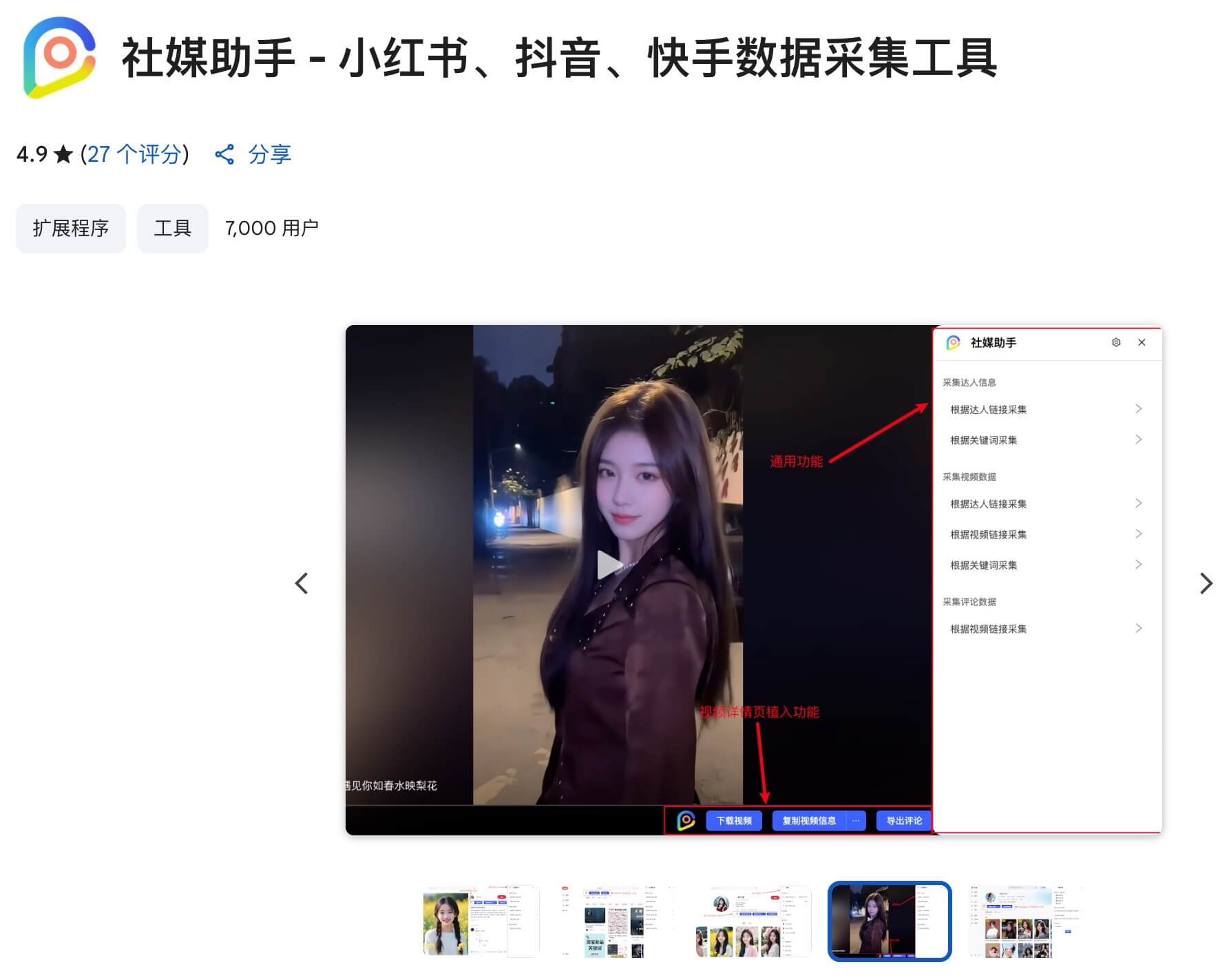
- A Chrome extension built for RedNote / TikTok / Kuaishou
- Strengths:
- Watermark-free download
- Batch export (favorites collection in one go)
- Browse-and-grab, no separate desktop app
- Get it: Chrome Web Store direct link
Which one?
| Scenario | Pick |
|---|---|
| WeChat Channels | res-downloader |
| RedNote / TikTok / Kuaishou | Social Media Assistant (lighter) |
| Both | Install both, switch by use case |
| Enterprise / Wistia / Loom | res-downloader (proxy advantage) |
3 steps: download → upload → pick output
Step 1: Download
Path A: res-downloader for WeChat Channels
- During install, allow certificate + network access (required)
- Open res-downloader → top left “Start Proxy”
- Pick resource types (default: all)
- In a separate window (e.g., desktop WeChat), open and play the target video
- Switch back to res-downloader → click download on the captured resource
- WeChat Channels files require “Decrypt Video (Channels)” in the action menu before they play
Path B: Social Media Assistant for RedNote
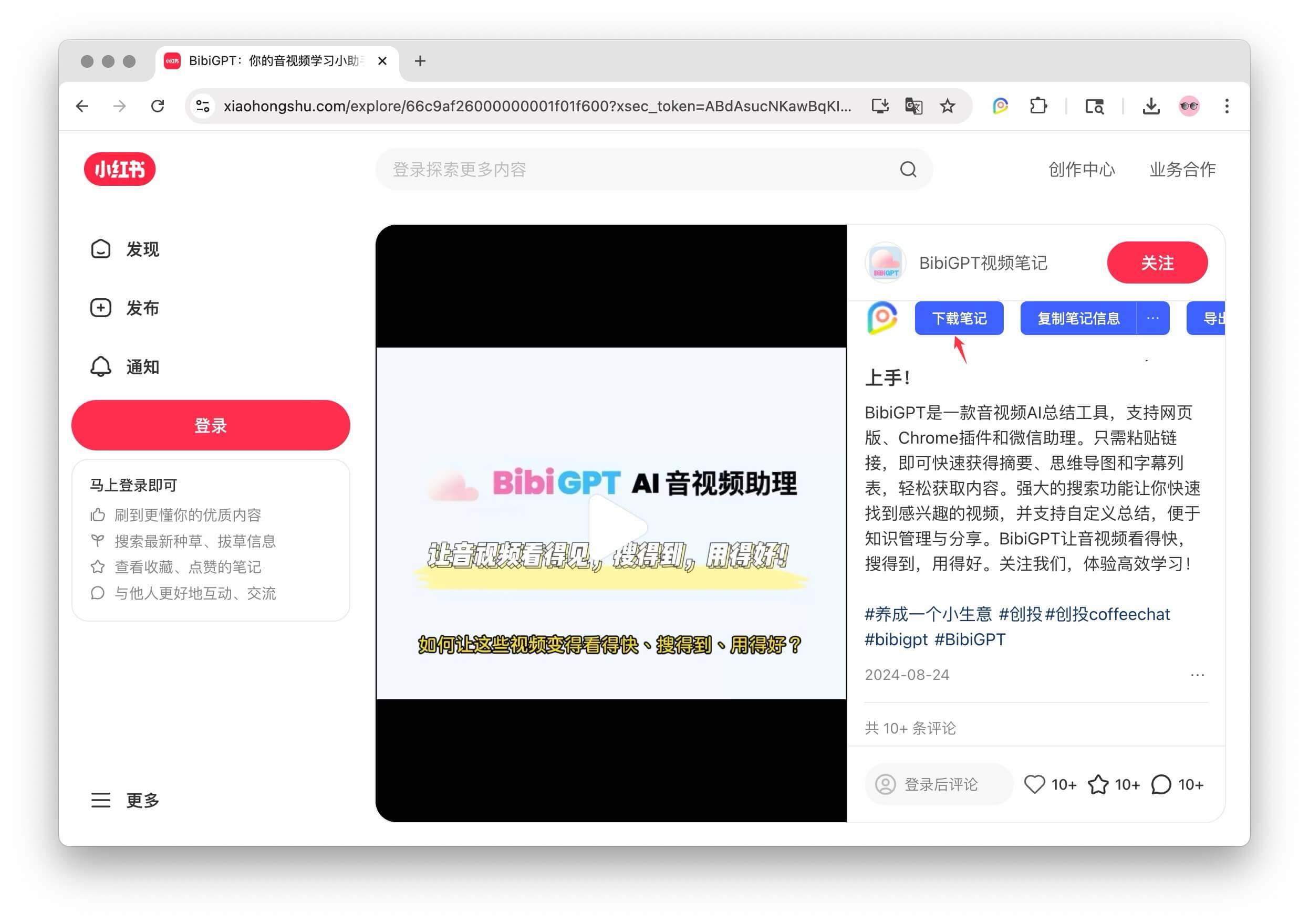
- Install the Chrome extension
- Open RedNote in Chrome → find the target post
- Click “Download Note” inline, or the extension icon → choose download option
- Same flow for TikTok / Kuaishou
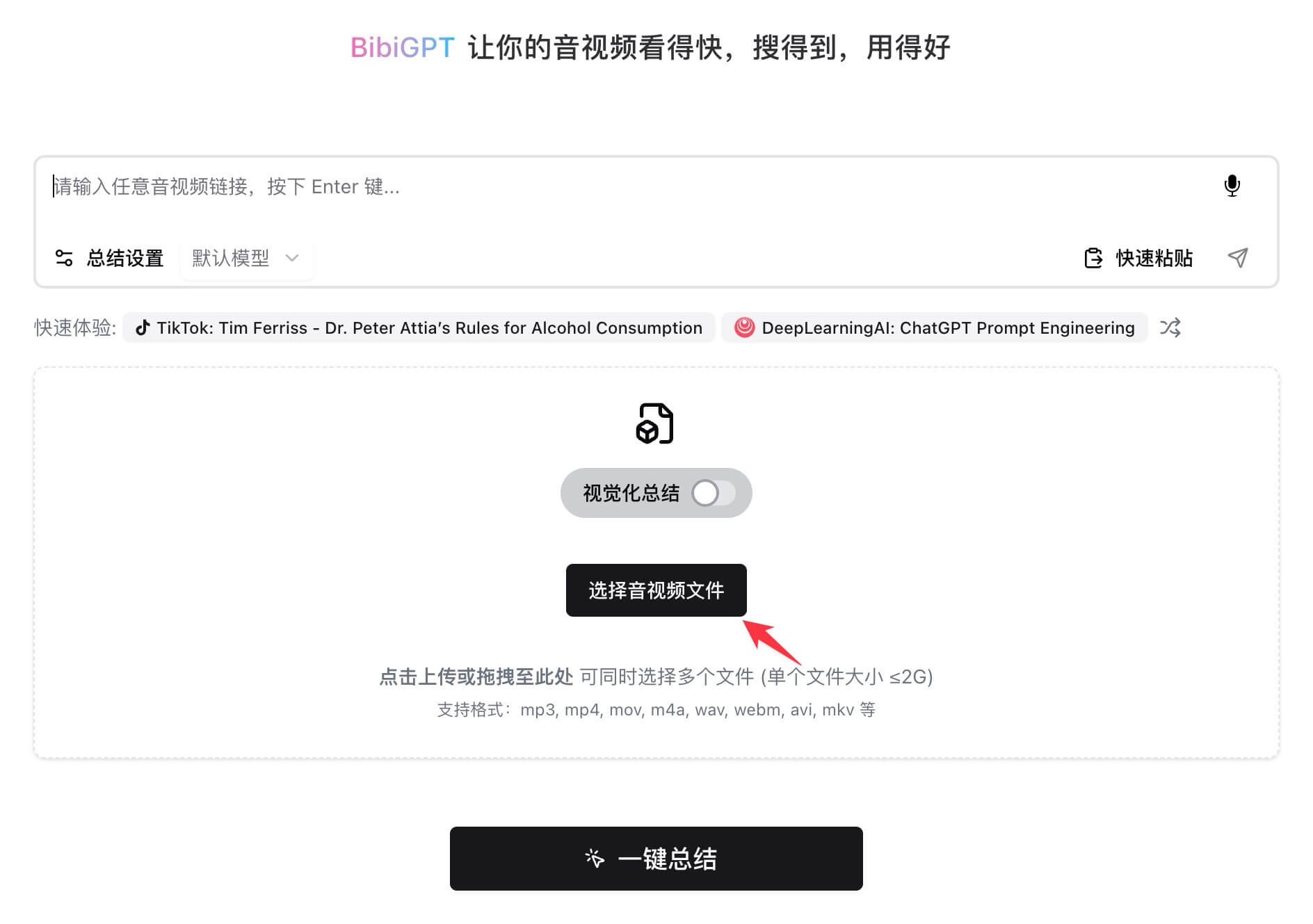
Step 2: Upload to BibiGPT
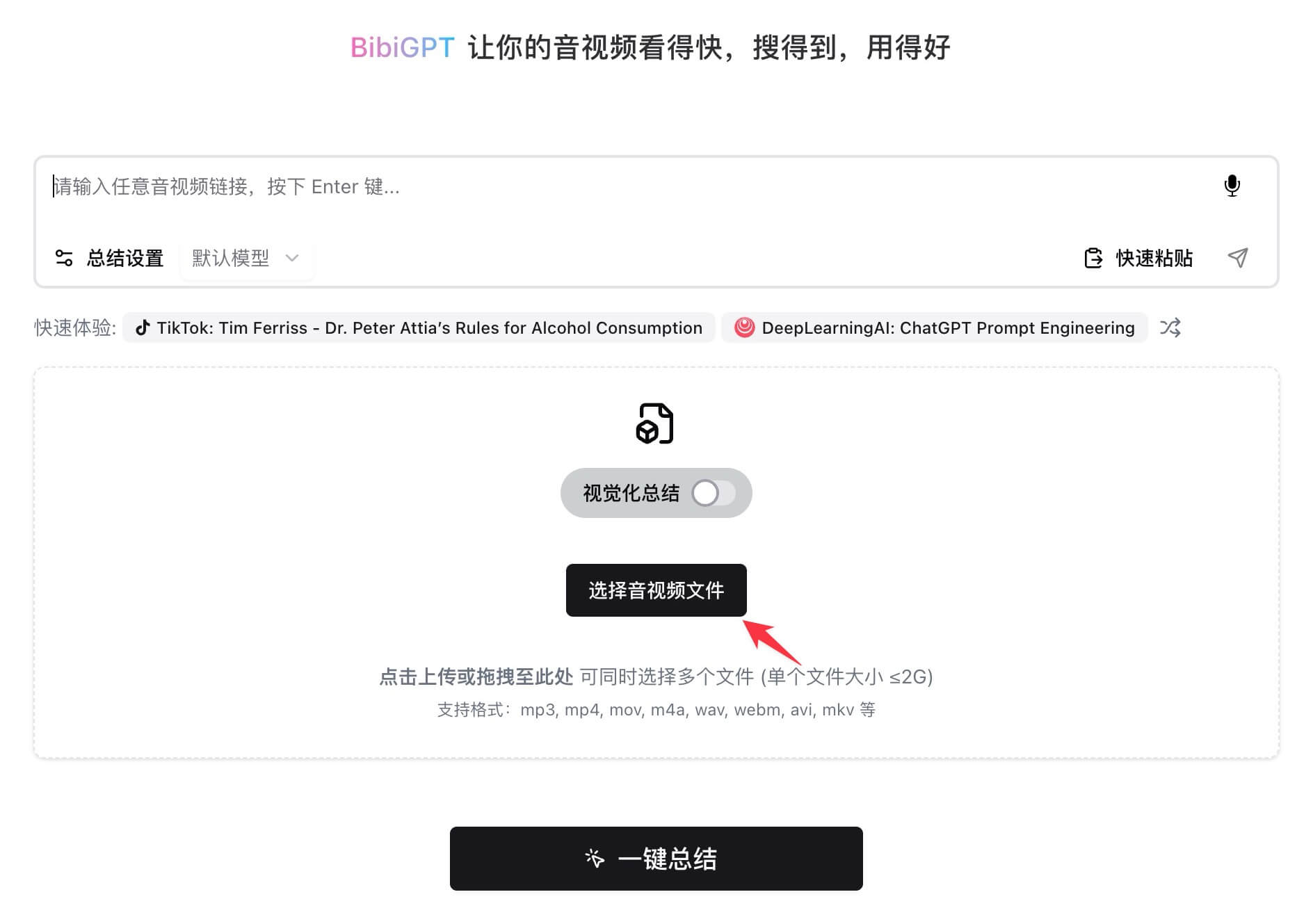
- Open aitodo.co (web / desktop / mobile)
- Choose “Upload local file”
- Drop in the mp4 / mp3 / m4a file
- 30 seconds → full transcript + AI summary
Supported formats: mp4 / mov / mkv / mp3 / m4a / wav / aac / flac / webm.
Step 3: Pick the AI output format
Don’t stop at “view a summary” — once uploaded, the same transcript switches into 4 AI outputs (next section).
BibiGPT advanced: 4 AI outputs from one upload
2026 upgrade: one upload, four outputs. No need to run ChatGPT / Mubu / DeepL / Claude separately.
1. AI summary (chaptered)
Timestamped chapter splits + 1-3 sentence points per chapter + key quotes. Finer chapter granularity than plain ChatGPT summaries — easier to verify back to the source.
2. Mind map (summary-inline-mindmap)
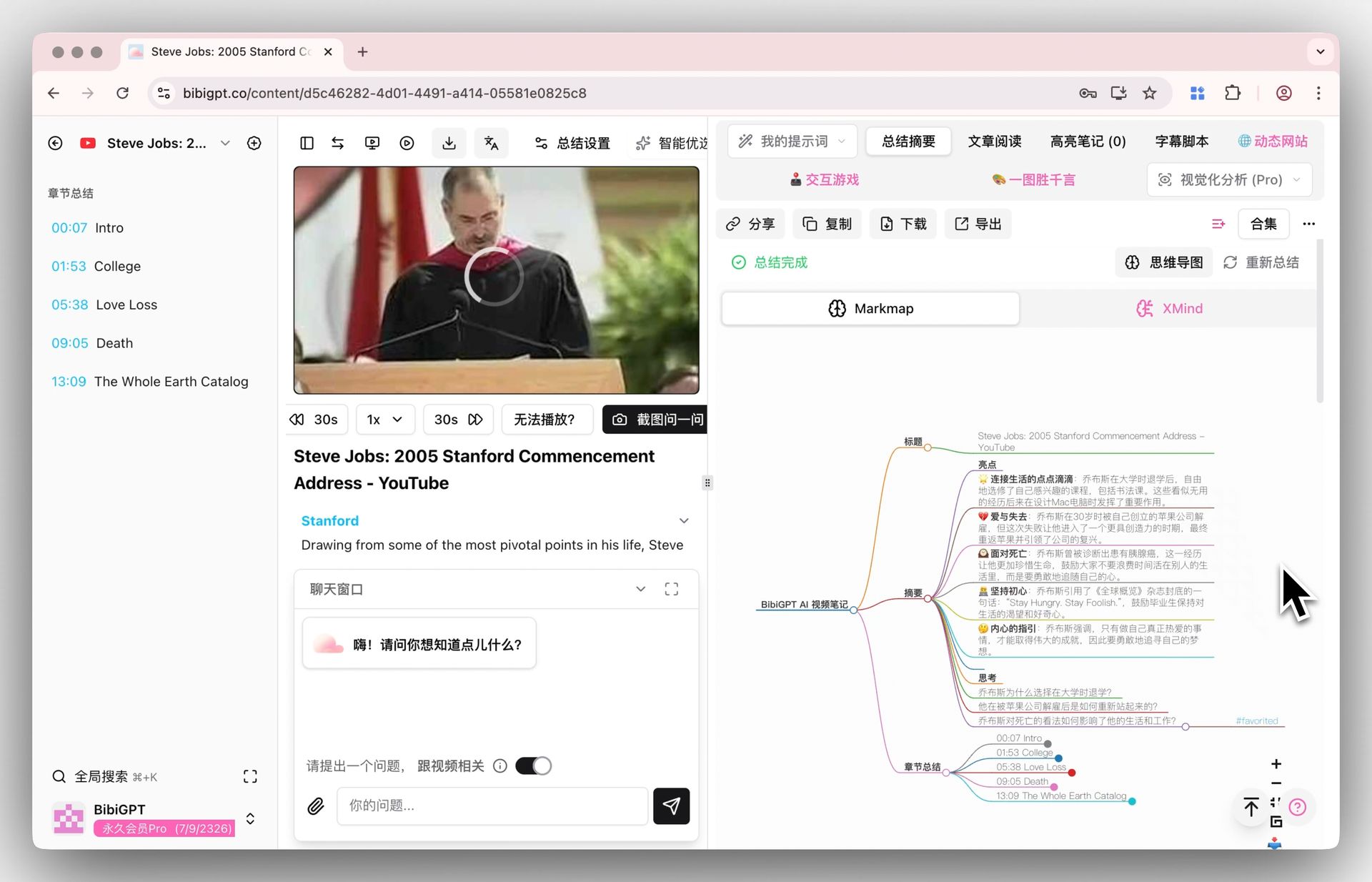
Outputs OPML / Markmap, drop into XMind / Heptabase / Obsidian Excalidraw. Visualize the knowledge structure of meetings, industry interviews, long courses. Fastest-growing output format from 2025 to 2026.
3. Subtitle translation (free-online-subtitle-translator)
One-click translate subtitles between English / Chinese / Japanese / Korean (plus Traditional Chinese). Reverse direction too — turn your Chinese videos into English subtitles for global publishing. Timestamps preserved, unlike plain text translation tools.
Essential for international students learning English lectures, cross-border RedNote operators, and creators going overseas on YouTube.
4. On-screen content analysis (ai-video-summary-visual-content)
Screen shares, slides, Excel tables, whiteboards inside the video? Plain transcription tools miss them all. BibiGPT’s visual analysis OCRs on-screen text, reads chart data, captures slide stills — on-screen information becomes summarizable and searchable.
A must-have for tech talks, earnings calls, design reviews, and code tutorials.
2026 new tools and model comparison
Two big shifts between 2025 and 2026:
1. Model upgrades: DeepSeek V4 (1M context) / Claude Opus 4.7 / GPT-5 Vision / Gemini 3.1 Pro all leveled up. BibiGPT integrated them on day one — see BibiGPT integrates DeepSeek V4 1M context.
2. Competitor landscape:
| Tool | 2025 state | 2026 state | Vs BibiGPT |
|---|---|---|---|
| NotebookLM | PDF-first | Video + 3-column + Studio factory | Different domains, see NotebookLM April 2026 vs BibiGPT |
| Adobe Acrobat Student Spaces | Did not exist | Free PDF AI study platform | PDF vs video study — complementary, see Acrobat Student Spaces vs BibiGPT |
| Cohere Transcribe | Did not exist | Open ASR model | Possible BibiGPT engine candidate |
| Microsoft MAI-Voice | Did not exist | Realtime voice + transcribe | Realtime competitor |
| Tactiq / Fireflies | Meeting-only | Still meeting-only | BibiGPT wins on multi-platform, see Tactiq vs Fireflies vs BibiGPT comparison |
For the broader AI video summary tool landscape, see 2024 top 5 AI audio-video summary tools (refreshed for the 2026 ecosystem).
Tips and disclaimer
These tools dramatically expand video access, but please note:
Compliance: ensure downloaded content is authorized by the original rights holders and complies with platform terms. Unauthorized downloads infringing third-party rights are your sole responsibility; BibiGPT and the recommended tool developers assume no liability. This tutorial is for learning and research only — not for commercial or unlawful use.
FAQ
Q: Which platforms do res-downloader and Social Media Assistant support?
res-downloader: WeChat Channels / Mini Programs / TikTok / Kuaishou / RedNote — best at WeChat Channels. Social Media Assistant Chrome extension: focused on RedNote / TikTok / Kuaishou with watermark-free download and batch export.
Q: What local file formats does BibiGPT support?
mp4 / mov / mkv / webm (video) + mp3 / m4a / wav / aac / flac (audio). Files from the download tools all upload directly.
Q: Can I skip the download step?
If the platform is already directly supported (Bilibili / YouTube / Apple Podcasts / RedNote / TikTok), just paste the URL — no local download needed. This guide handles “not yet supported” cases.
Q: Batch upload?
The desktop client supports drag-in batch processing.
Q: Mind map export to XMind / Heptabase?
Yes. BibiGPT outputs OPML / Markmap. XMind imports OPML directly; Heptabase / Obsidian Excalidraw via the Markmap plugin.
Q: How good is subtitle translation?
BibiGPT routes through GPT-4 / Claude / DeepSeek V4 with long-video context continuity (consistent names and terms across the video). Quality matches or beats DeepL / Google Translate, plus timestamps are preserved.
Q: Can on-screen analysis pull text from slides?
Yes. OCR auto-recognizes screen-share text, chart data, and UI screenshots, weaving them into the AI summary. Critical for tech talks, earnings calls, and design reviews.
Q: Which domain to use overseas?
- Global: aitodo.co
- China: bibigpt.co
Try BibiGPT now and let AI summarize any source — 4 outputs from a single upload:
- Web: aitodo.co
- Desktop: aitodo.co/desktop
- Browser extension: aitodo.co/extension
BibiGPT Team